Create by Mr.Komkrit Thongbunchu , E-mail : earthkmutt59@gmail.com
Mr.Wasuthorn Ausrivong , E-mail : wonnerbcc163@gmail.com
Install ROS Melodic Morenia on UBUNTU 18.04

You can install ROS by 2 method
- Install by github
- Install by packages.ros.org.
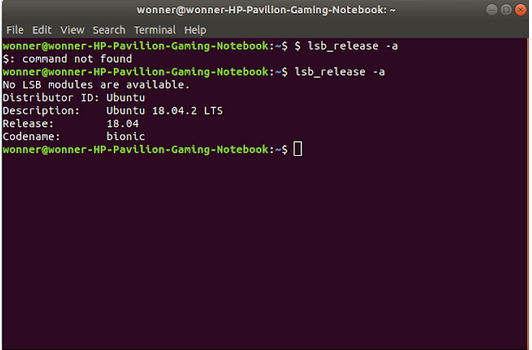
before starting to install Ros please check version your ubuntu open Terminal [ alt + ctrl + t ] and use this command :
$ lsb_release -a
1.Install by github
step 1 : open Terminal [ alt + ctrl + t ]
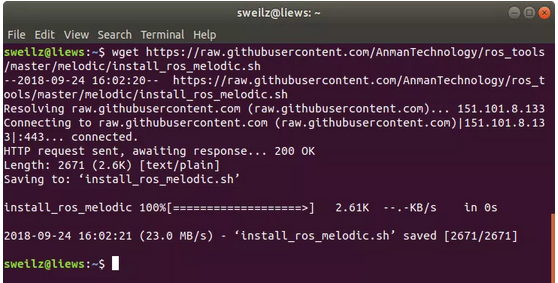
step 2 : Put this command on your terminal to get file ros from github
$ wget https://raw.githubusercontent.com/AnmanTechnology/ros_tools/master/melodic/install_ros_melodic.sh
!! Note : This step use internet connection !!
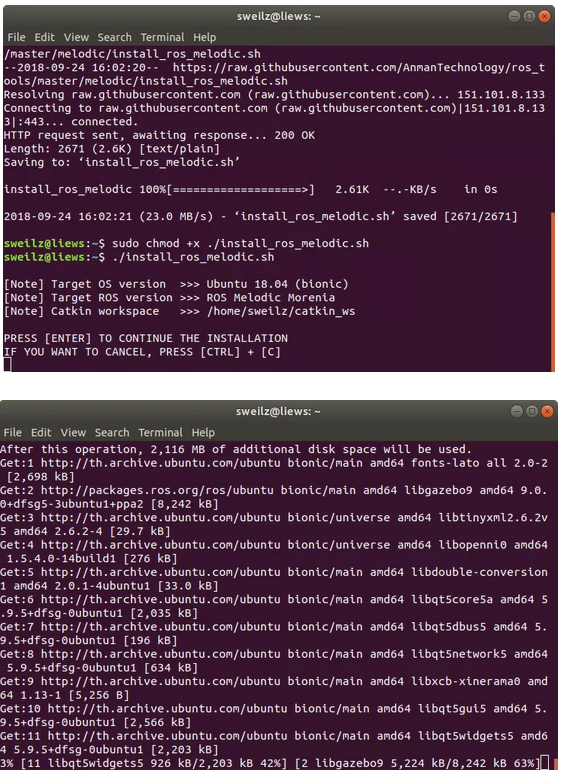
Step 3 : run file “ install_ros_melodic.sh ” to install ros
$ sudo chmod +x ./install_ros_melodic.sh
$ ./install_ros_melodic.sh
!! Note : This step have got 30-50 minutes up – to your internet connection !!
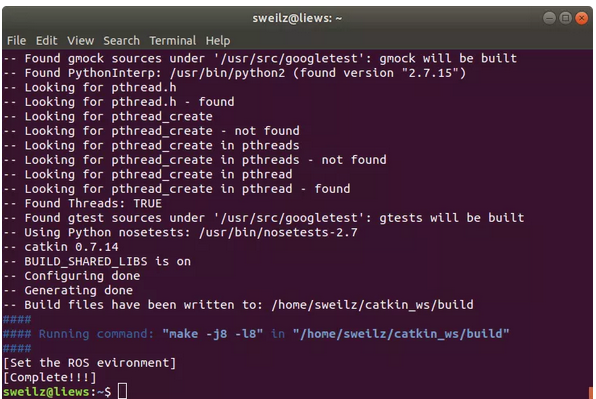
Now!!! your ros ready to run
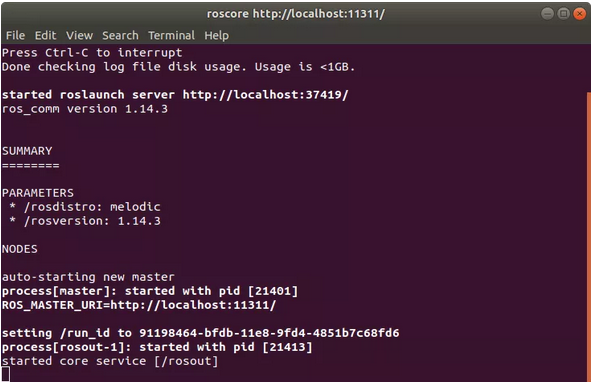
Step 4 :Check your ROS by close your terminal and open new one
$ roscore
2.Install by packages.ros.org.
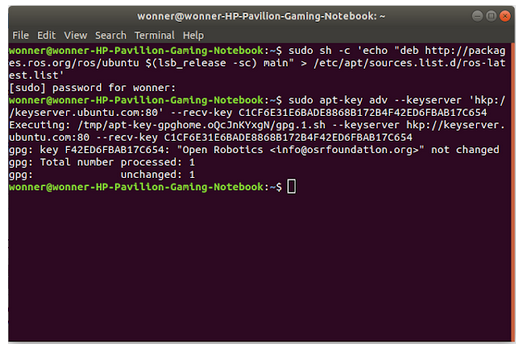
Step 1 : Setup your sources.list
$ sudo sh -c ‘echo “deb http://packages.ros.org/ros/ubuntu
$(lsb_release -sc) main” > /etc/apt/sources.list.d/ros-latest.list’Step 1 : Setup your sources.list
Step 2 :Set up your keys
$ sudo apt-key adv –keyserver ‘hkp://keyserver.ubuntu.com:80’ –recv-key C1CF6E31E6BADE8868B172B4F42ED6FBAB17C654Step 2 :Set up your keys
Step 3 : Installation
$ sudo apt update
$ sudo apt install ros-melodic-desktop-full
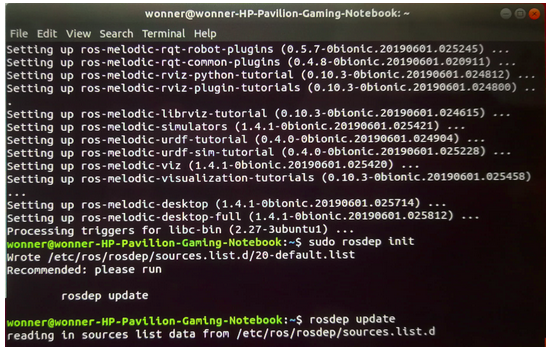
Step 4 : Initialize rosdep
$ sudo rosdep init
$ rosdep update
Step 5 : Environment setup
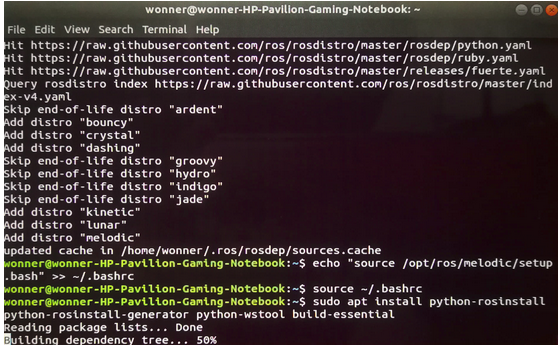
$ echo “source /opt/ros/melodic/setup.bash” >> ~/.bashrcStep 5 : Environment setup
$ source ~/.bashrc
$ sudo apt install python-rosinstall
Step 6 : Make workspace
$ mkdir -p catkin_ws/src
$ cd catkin_ws/src/
$ catkin_init_workspace
$ cd ..
$ catkin_make
Install V-REP on UBUNTU 18.04
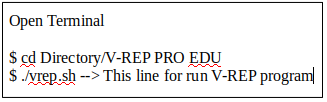
step 1 :
Go to this link “http://www.coppeliarobotics.com/downloads.html“
step 2 :
Download V-REP PRO EDU for UBUNTU 18.04
step 3 :
Open Directory Download and double click on V-REP PRO EDU and then extract file.
step 4 :
Create Publish and Subscribe Nodes
Create Publisher Node
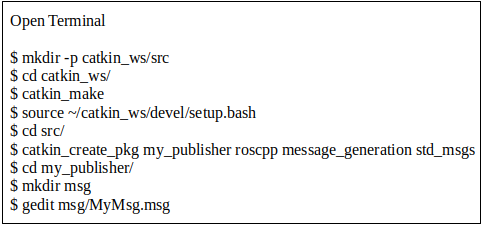
In MyMsg.msg at code follow this :
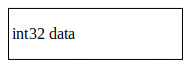
And Save! it.
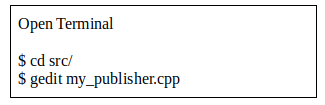
In my_publisher.cpp at code follow this :
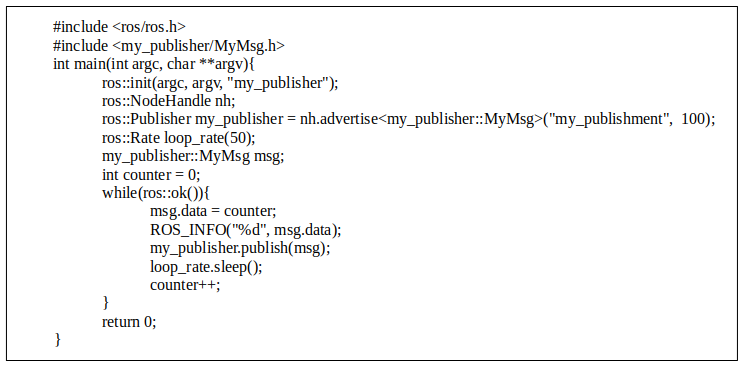
And Save! it.
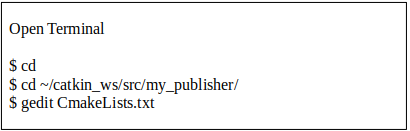
In CmakeLists.txt at code follow this :

And Save! it.
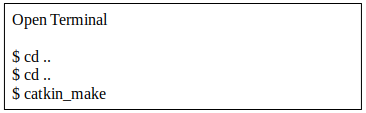
Test it!


Create Subscriber Node
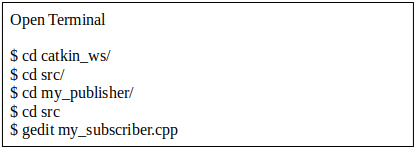
In my_subscriber.cpp at code follow this :
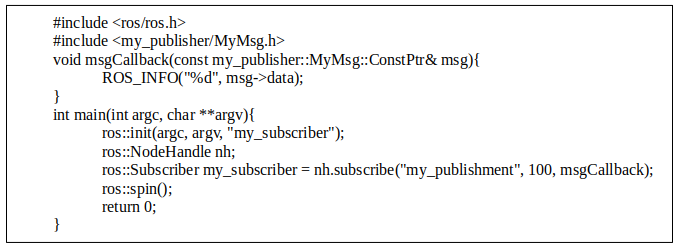
And Save! it.
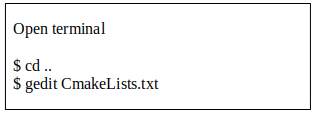
In CmakeLists.txt at code follow this :

And Save! it.
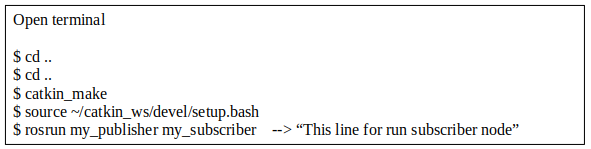


Command of ROS use in terminal.
$ rostopic list –> This command is show all topics.
$ rosnode list –> This command is show all nodes.
$ rostopic echo <name of topic> –> This command is show value.
V-REP
The actuation function : sysCall_actuation. This part will be executed in each simulation step, during the actuation phase of a simulation step. Refer to the main script default code for more details about the actuation phase, but typically, you would do some actuation in this part (no sensing)
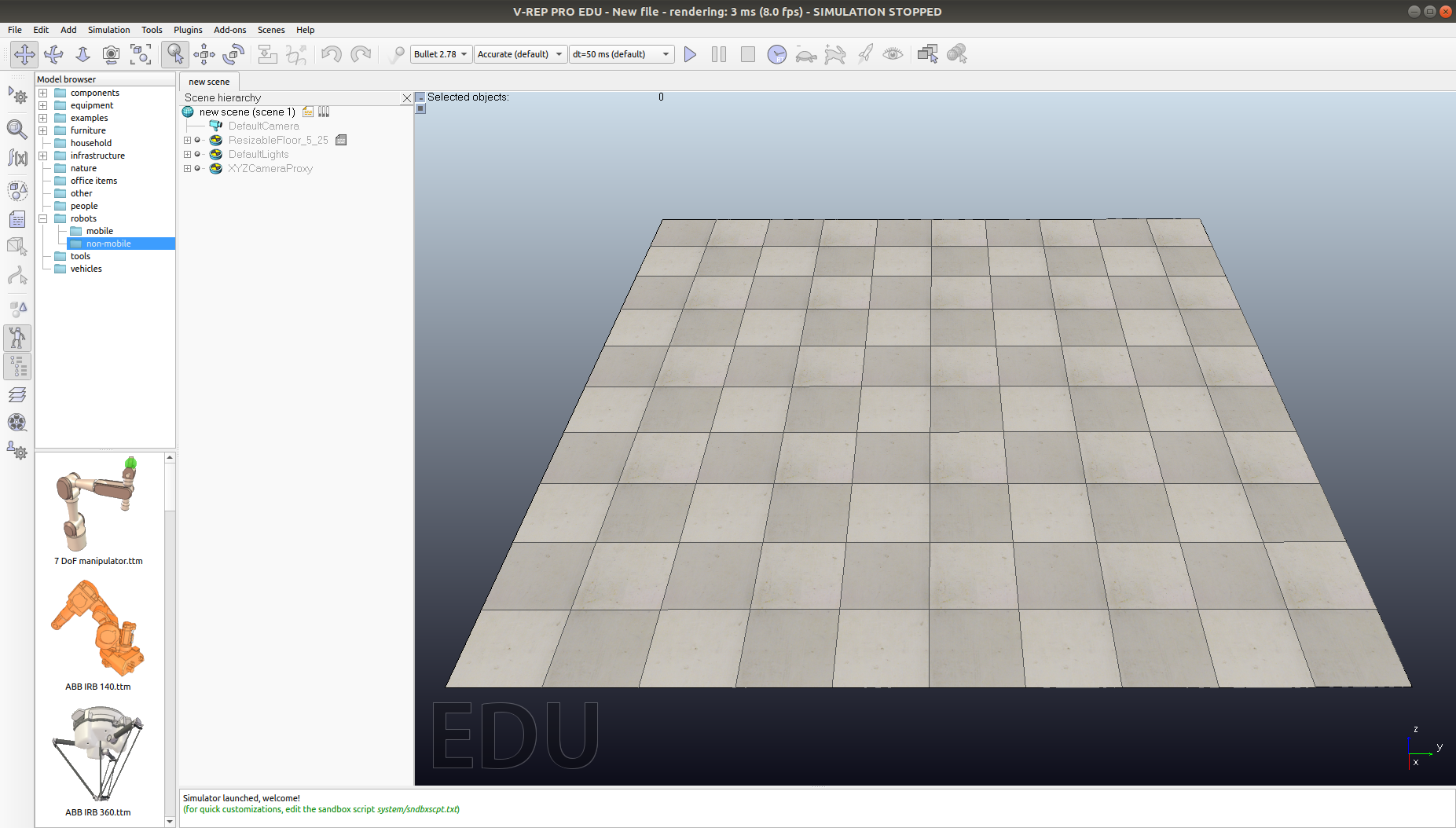
First, Open V-REP simulation program.
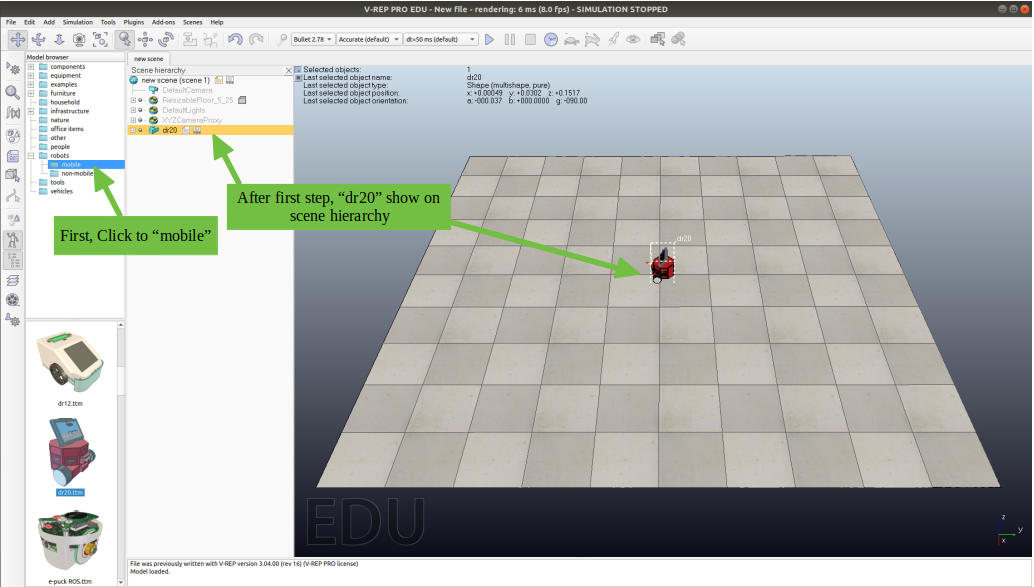
Second, Drag robot to workspace.
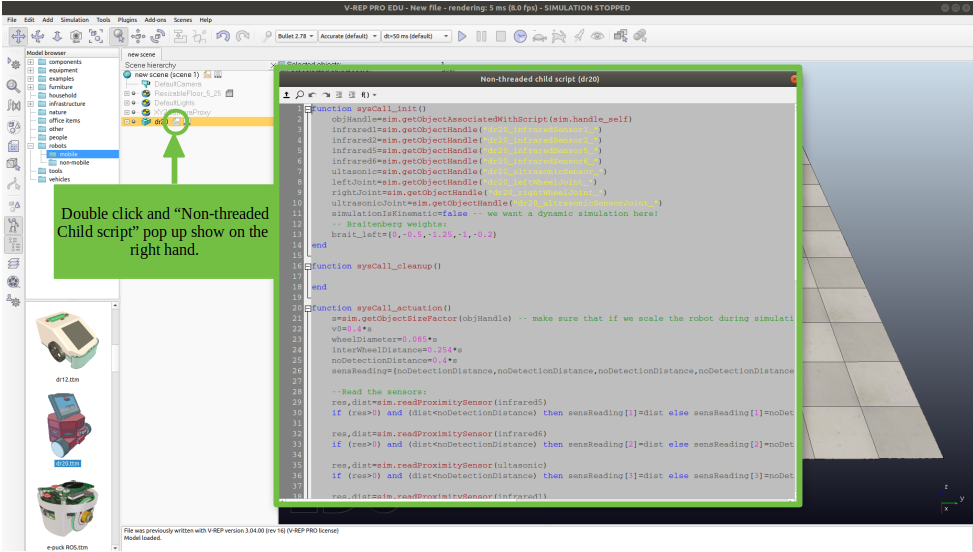
Third, Default in file script has code. You can run simulation for test it.
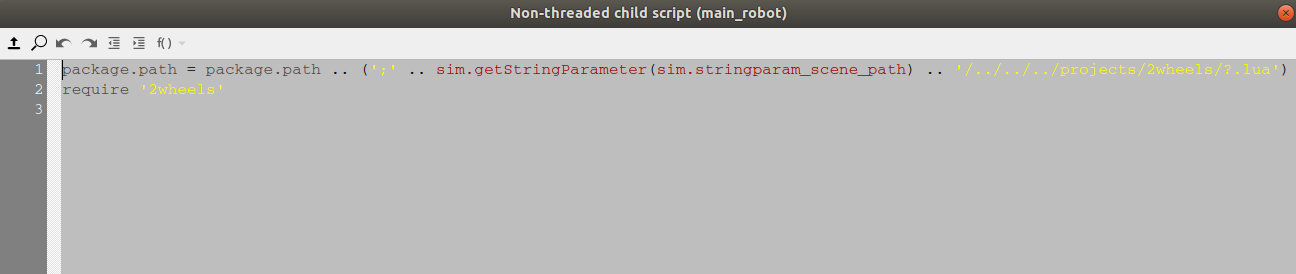
Fourth, Edit code in script for use package path from .lua
How to create graph in V-REP
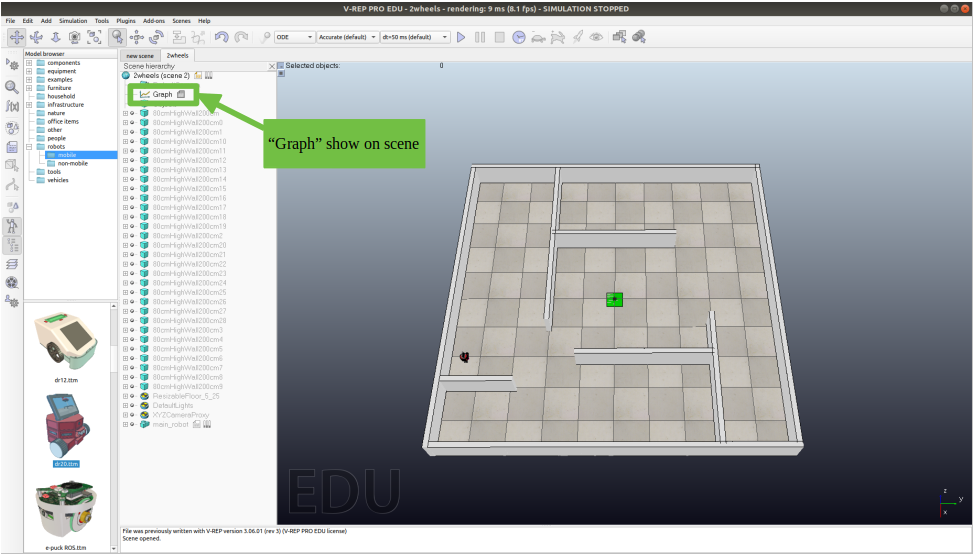
First, Click “Add” on the top of program and click to “graph” and rename to “Signal”
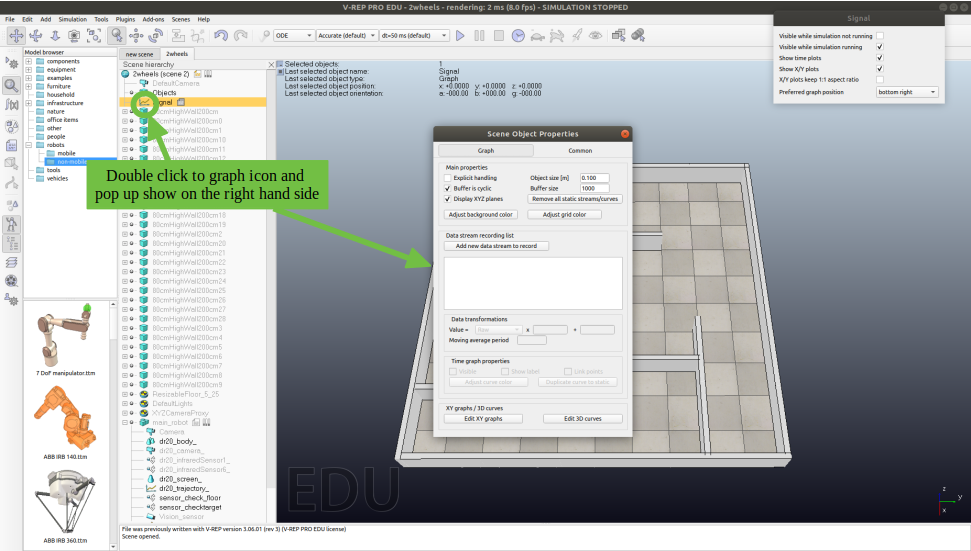
Second, Open scene object properties of graph.
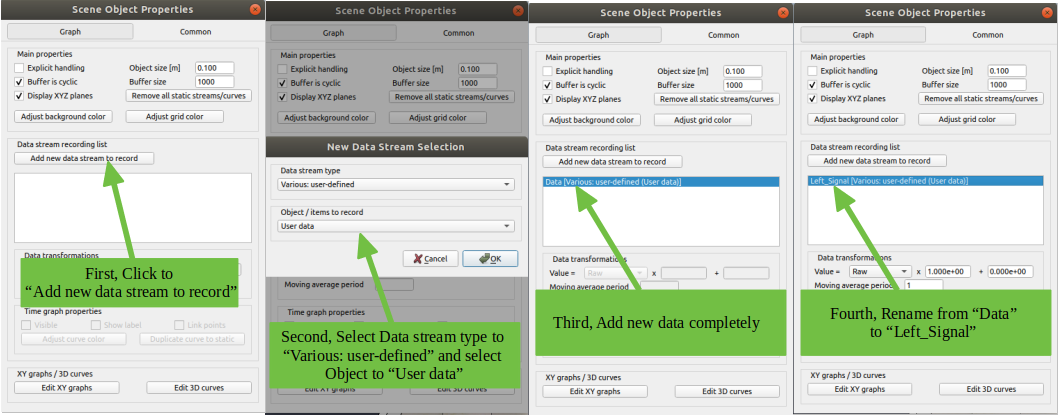
Third, Add data stream to record from .lua and create data stream one more name “Right_Signal”.
When you use command for plot graph in file .lua . You should name of variable same data stream. Example : sim.setGraphUserData(name of graph, “name stream data”, value for plot)
ROS and V-REP
Example file .lua

First, This function I want to get data from ROS (type int array) and use data for drive left and right wheels. print(data) you can see data output in command line of V-REP.
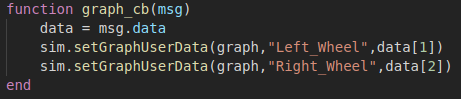
Second, This function I want to get data from ROS (type int array) and use data for plot graph.
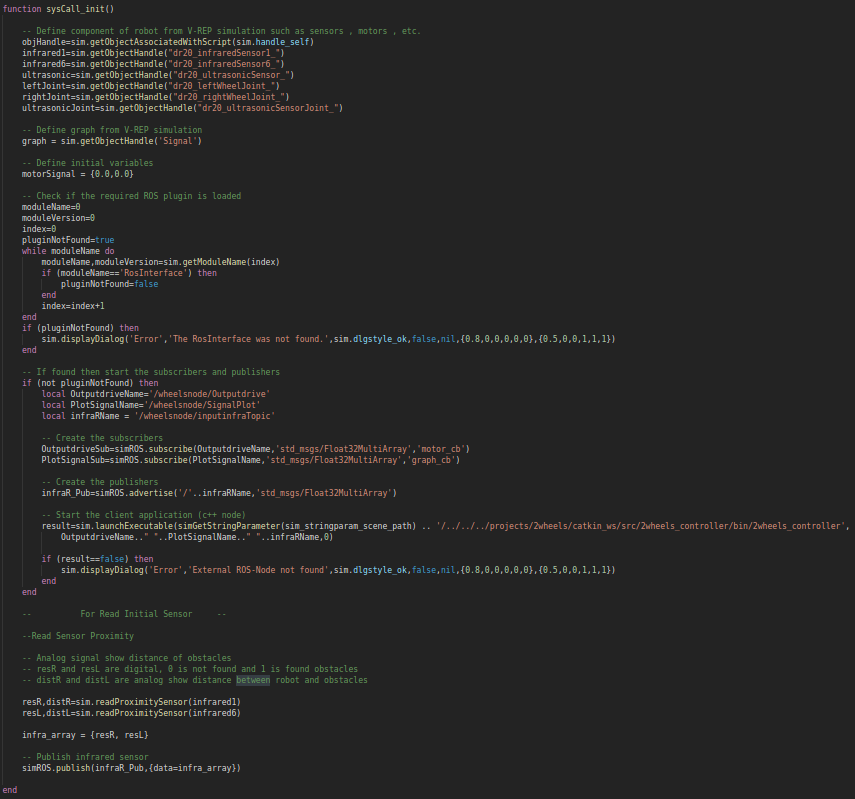
Overall code in sysCall_init() function.
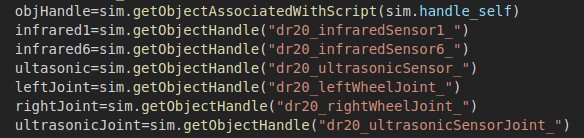
Third, In function sysCall_init() set variables for getObjectHandle from V-REP. Example sensor , motor etc. ” variable = sim.getObjectHandle(“Name of Object in V-REP”) “
The initial function : sysCall_init. This part will be executed just one time (the first time the child script is called). This can be at the beginning of a simulation, but also in the middle of a simulation: remember that objects associated with child scripts can be copy/pasted into a scene at any time, also when a simulation is running. Usually you would put some initialization code as well as handle retrieval in this part.
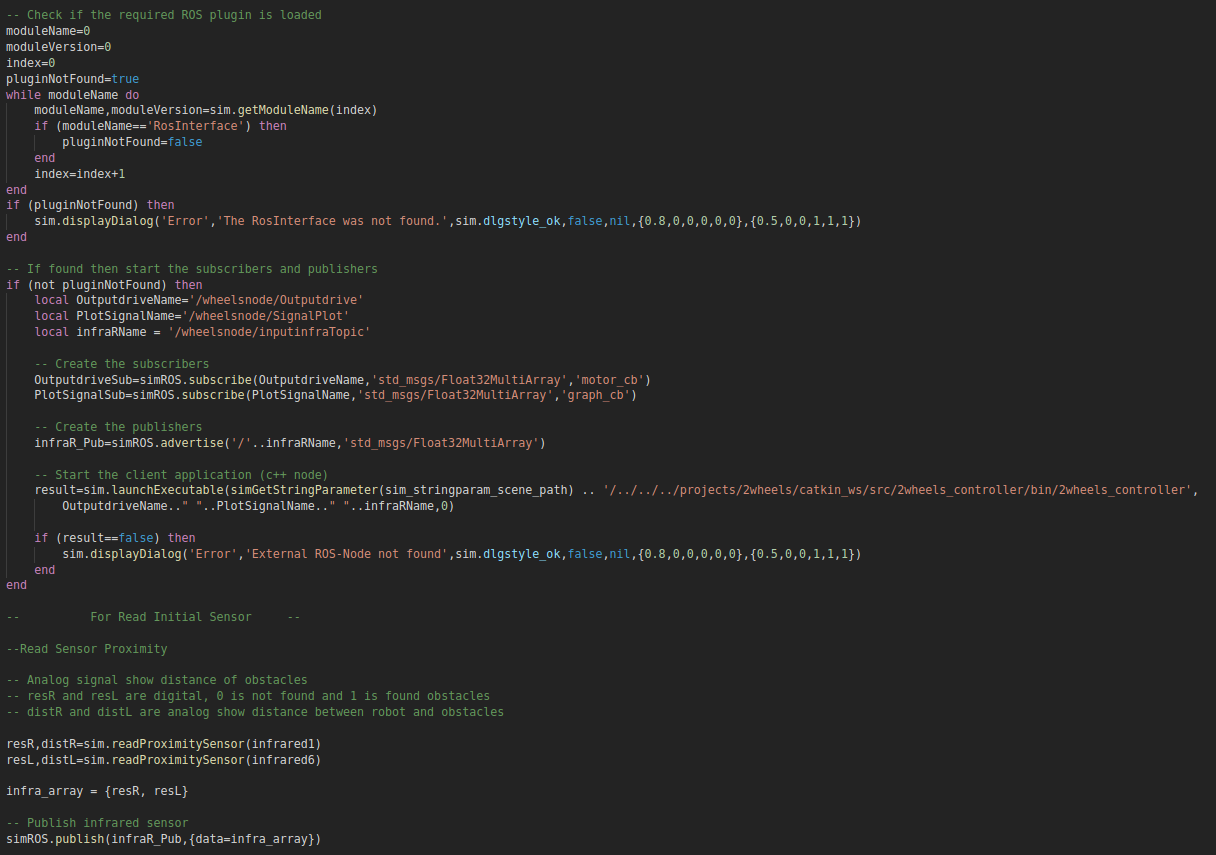
Fourth, setup ROS nodes for communication with V-REP.
local variable = name’s main node/sub-node
For create publisher
variable = simROS.advertise(‘/name sub-node’,’std_msgs/Type of data’)
For create subscribe
variable = simROS.subscribe(variable same with you define in local , ‘std_msgs/Type of data’ , ‘function of action’)
And the last, start client application nodes
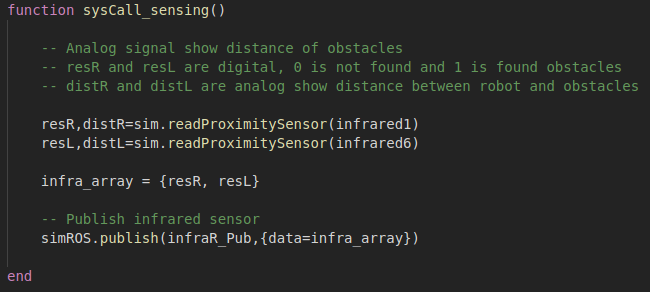
Fifth, function sysCall_sensing(). This part will be executed in each simulation step. I want to publish signal sensors to .cpp . Sensor can read as analog or digital and publish as array to .cpp .
The sensing function : sysCall_sensing. This part will be executed in each simulation step, during the sensing phase of a simulation step. Refer to the main script default code for more details about the sensing phase, but typically, you would only do sensing in this part (no actuation).
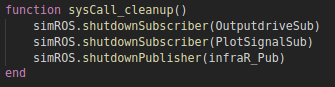
Sixth, sysCall_cleanup(). This part will be executed one time just before a simulation ends, or before the script is destroyed.
The restoration function: sysCall_cleanup. This part will be executed one time just before a simulation ends, or before the script is destroyed.
Example file .cpp
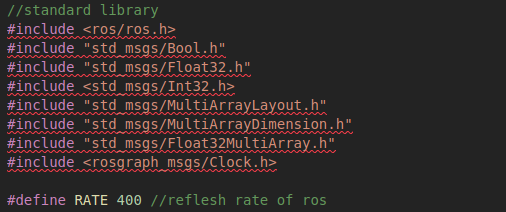
First, You have to include library and define reflesh rate of ROS.
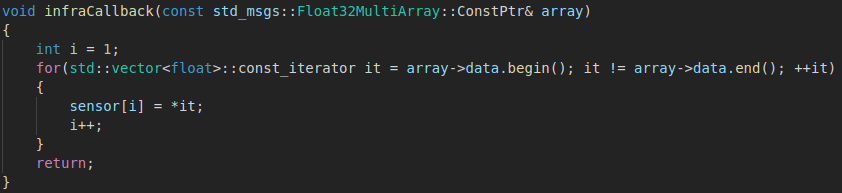
Second, This function is get value real time from .lua .
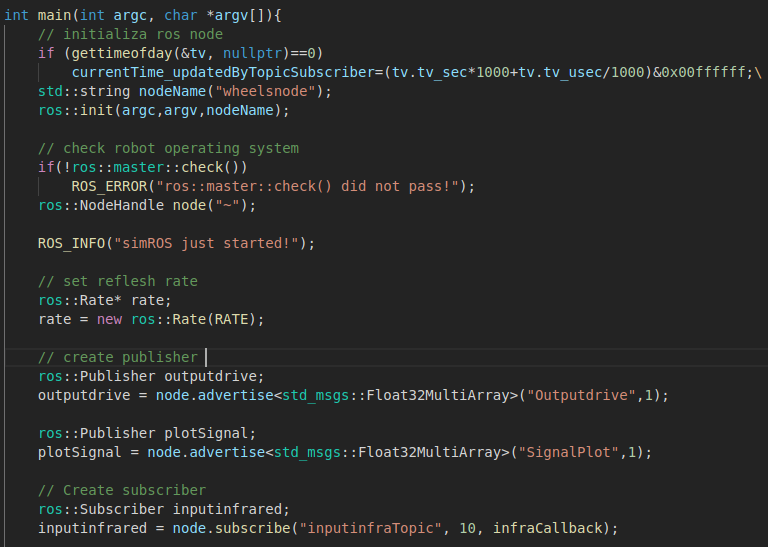
Third, In the main program I want to create ROS node name “wheelsnode”, publisher node name “Outputdrive” publish data to .lua for drive motor and “SignalPlot” publish data to .lua for plot graph and subscriber node name “inputinfraTopic” for get sensor signal from .lua .
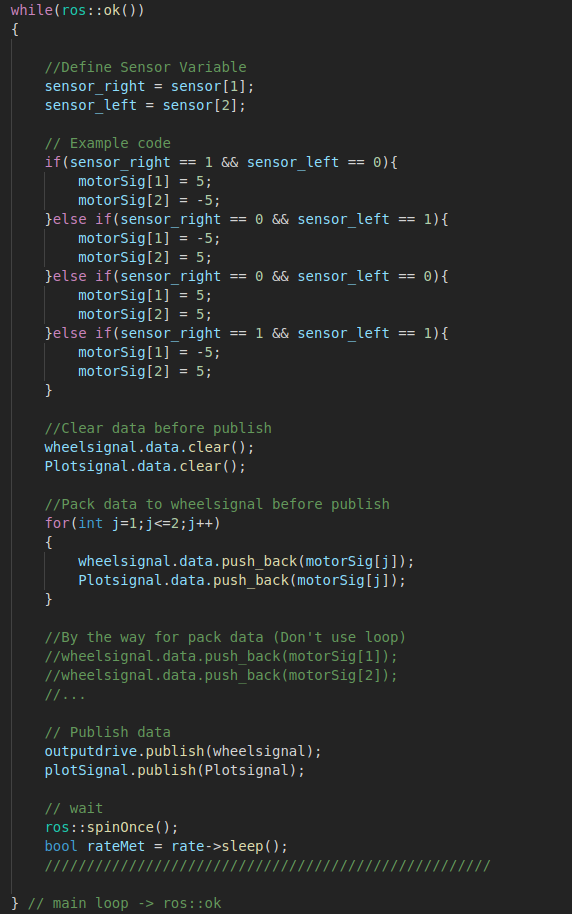
Fourth, In while loop will be executed in each simulation step. Define variables “sensor_left” and “sensor_right” for keep sensor signal. Example code is easy code (if-else condition) for robot avoid obstacles. You must clear data before pack data before publish to .lua (Example wheelsignal.data.clear()) and then, pack data to variable and finally, publish data to .lua (Example outputdrive.publish(wheelsignal) or name’s node.publish(data or variable))
Link to download file code example for create publisher and subscriber nodes
Link : https://github.com/earthkomkrit/ROS_V-REP_Tutorials.git
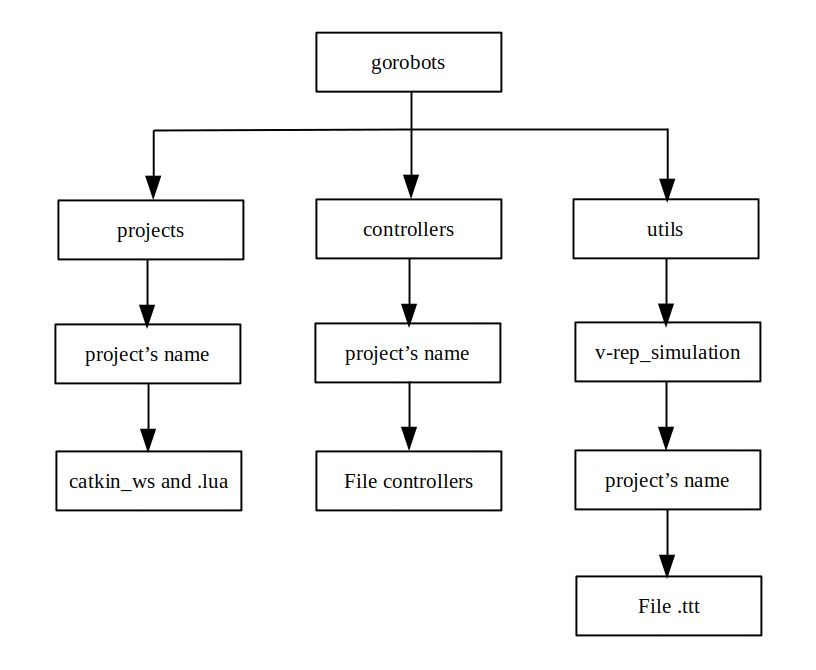
Folder structure of NEUTRON LAB

 Technical Report for NEUTRON